Building agents for a messy weekly group buy
People order by the piece. The supplier sells by the box.
Fruitlah is a set of Telegram and WhatsApp agents for the weekly fruit group buy I organise. Neighbours build a basket in chat, change it until the cutoff and report payments in the same place. Fruitlah fills the shared boxes, matches the payments and keeps the Google Sheet we already used up to date. I approve the plan each week and handle whatever it flags.

Quick facts
- Built for
- A weekly fruit group buy across two communities
- Channels
- Telegram and WhatsApp
- Works with
- The organiser’s existing Google Sheet
- In use since
- 17 October 2026
- People decide
- The weekly box plan, anything outside an agreed range, and any payment that doesn’t match cleanly
- Built by
- Oanh Nguyen, Paper & Pixel
The problem
Eight oranges don’t fill a box of twelve.
I organise a weekly fruit group buy across two communities. Everyone typed their quantities into a shared spreadsheet, and the supplier sells by the box. Filling whole boxes meant chasing changes, balancing what people wanted and keeping each household’s total in check, by hand, every week.
A spreadsheet can hold the numbers. It can’t ask Household B whether they’d take two more oranges.
Household A · 4 oranges
Household B · 4 oranges
8 / 12
How it works
Neighbours see an agent. Behind it is the same sheet.
Fruitlah reads from and writes to the Google Sheet the group buy already ran on. Anyone who prefers the sheet can keep using it.
-
01
Start in chat
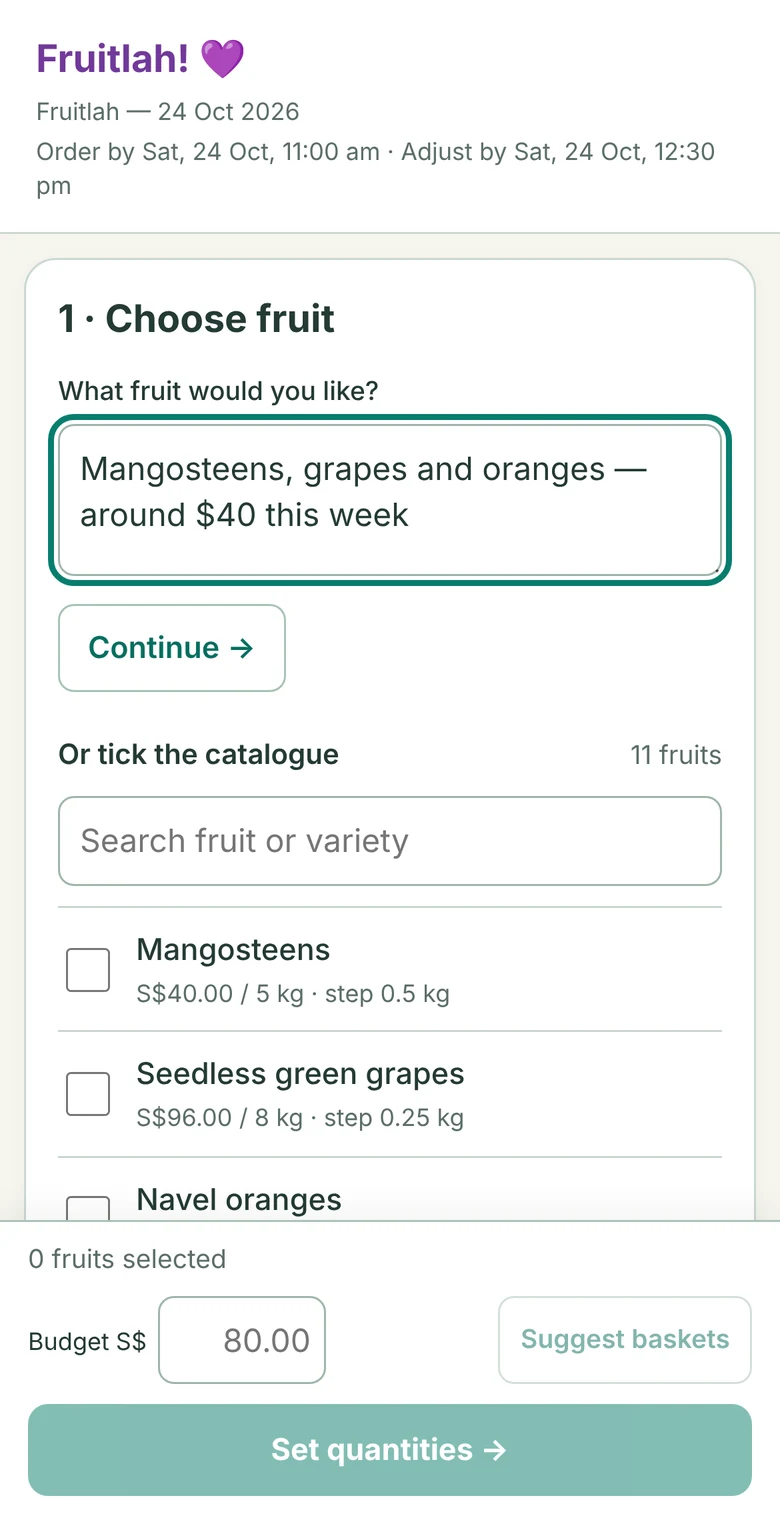
Send Order in Telegram, or open your private form link from WhatsApp. Both land in the same order form.
Order8:55 am
Fruitlah! 💜 Choose your fruit, set your budget, or view your current order in the order form: Open your private order form8:55 am
-
02
Build your basket, two ways
Help me choose
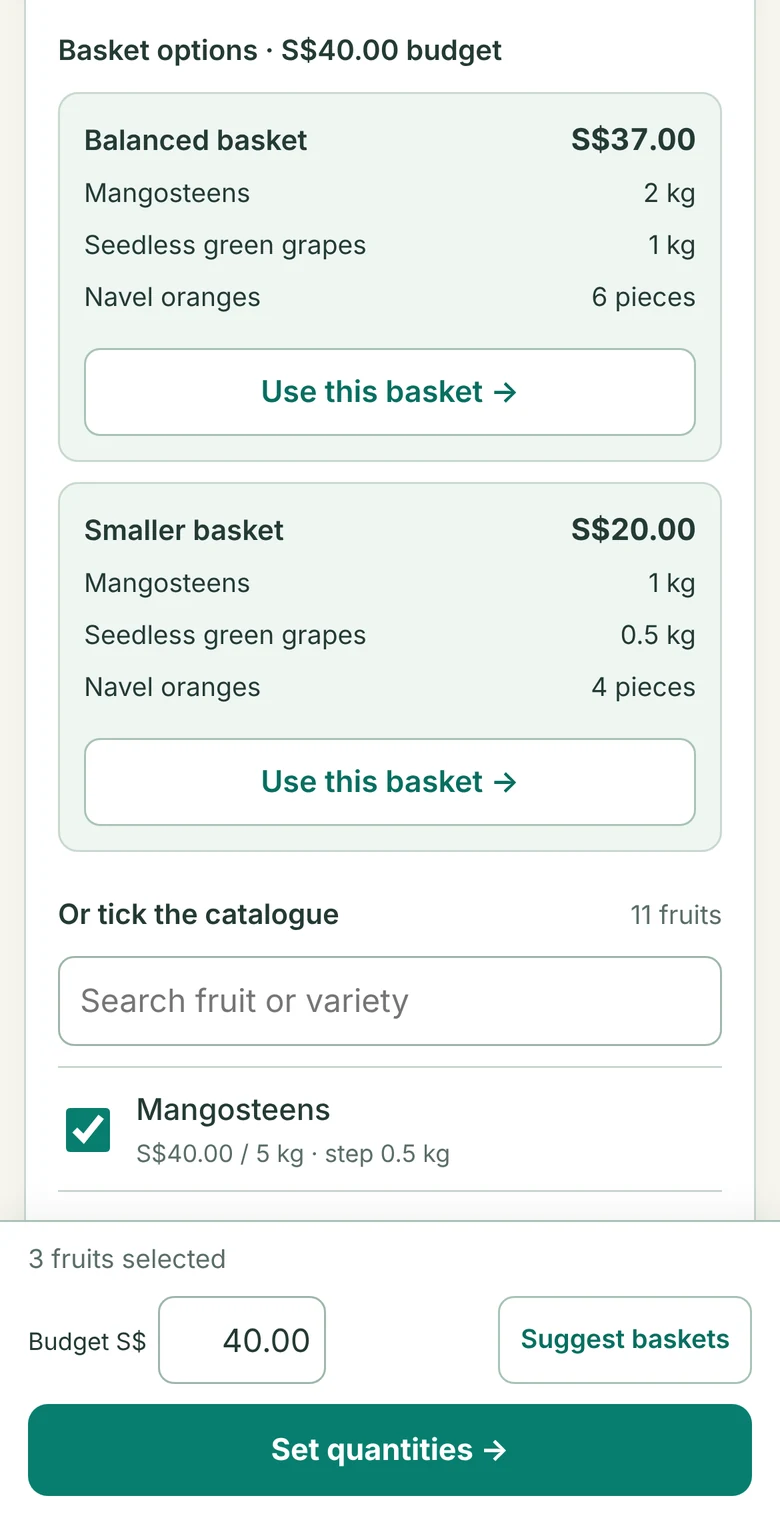
Describe the fruit you want and your budget. Fruitlah suggests two baskets that fit, and you pick one as a starting point.
I know what I want
Tick fruit from the catalogue, then enter a quantity and a min–max range for each one.
Both end at the same review: quantities, limits and your maximum spend. Nothing is saved until you press Confirm order.
Describe it… 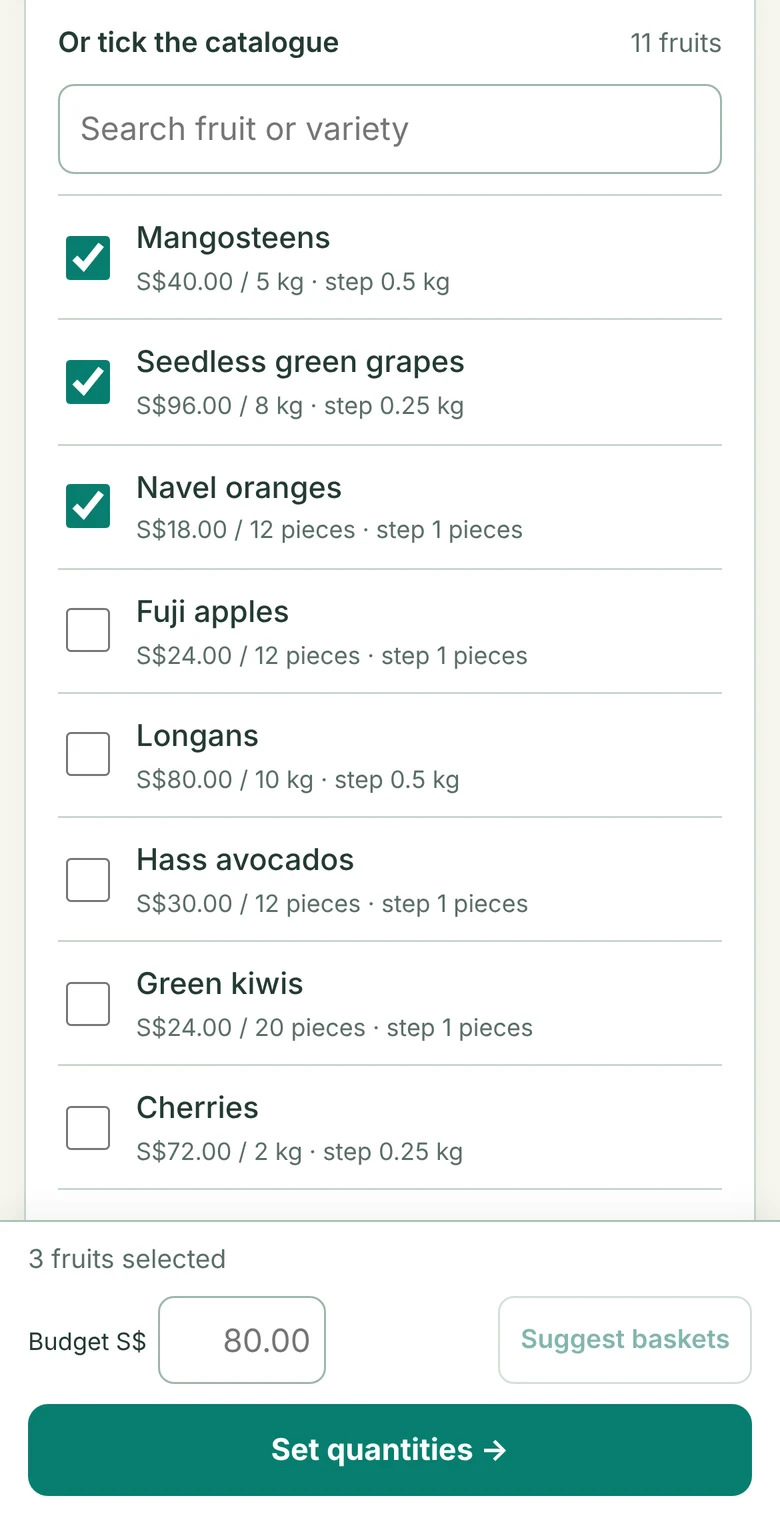
…or tick it 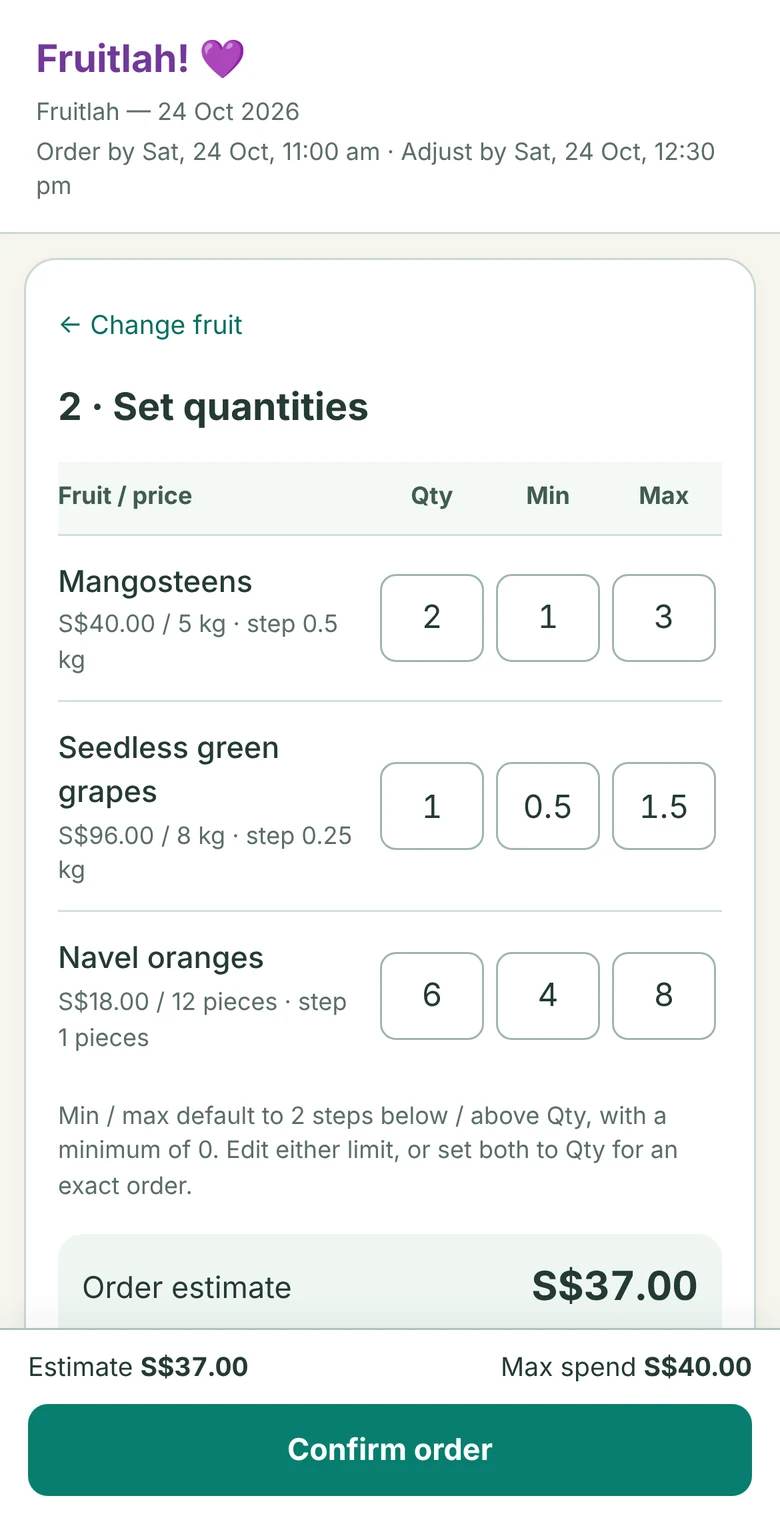
Then set quantities and limits -
03
Change your mind any time
Open the form again and your saved order is there. Edit quantities, swap fruit or ask for another basket, right up to the adjustment cutoff.
The min–max range is the part that matters later: it tells me how much room each household has if a box needs topping up.
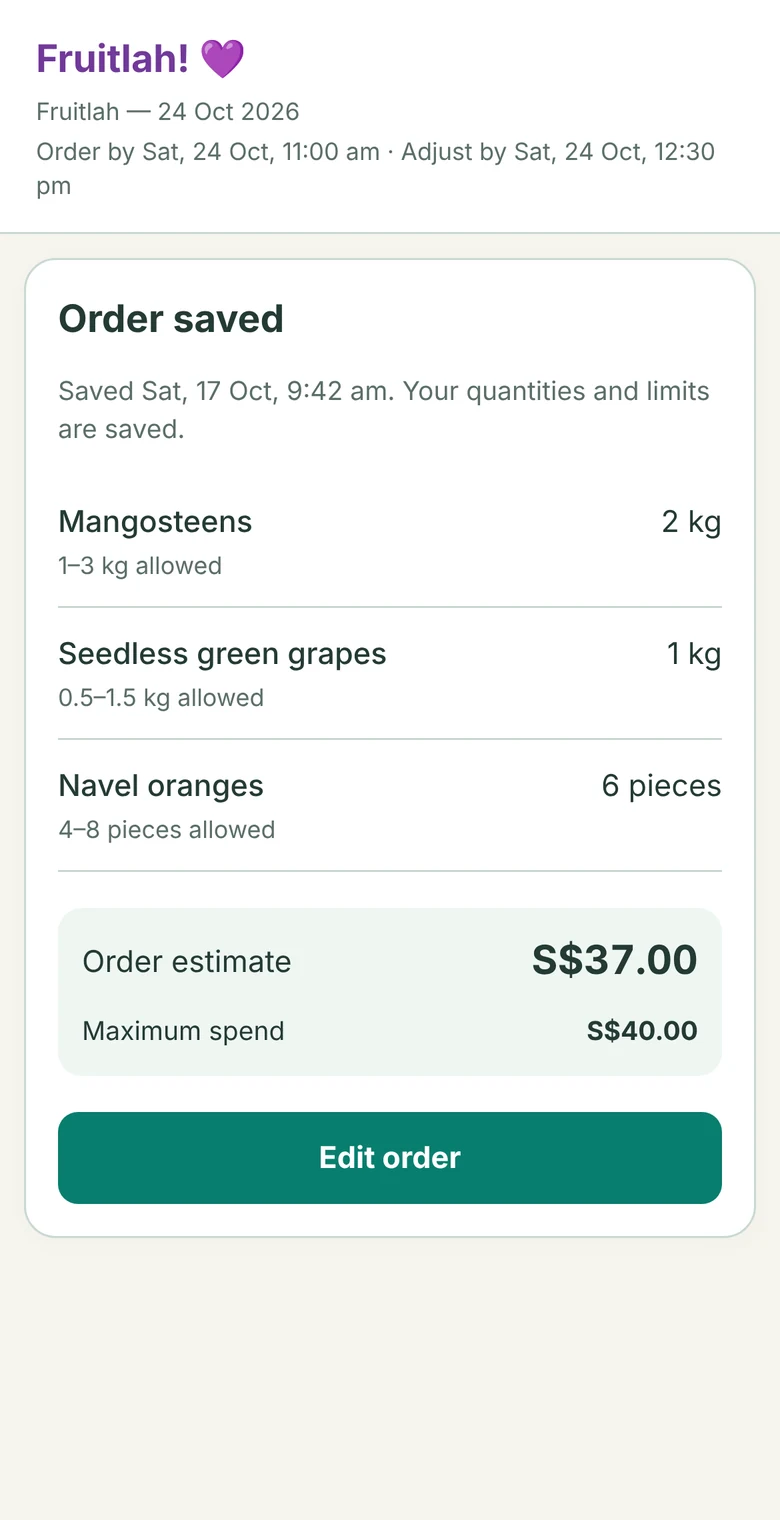
Saved, with the time 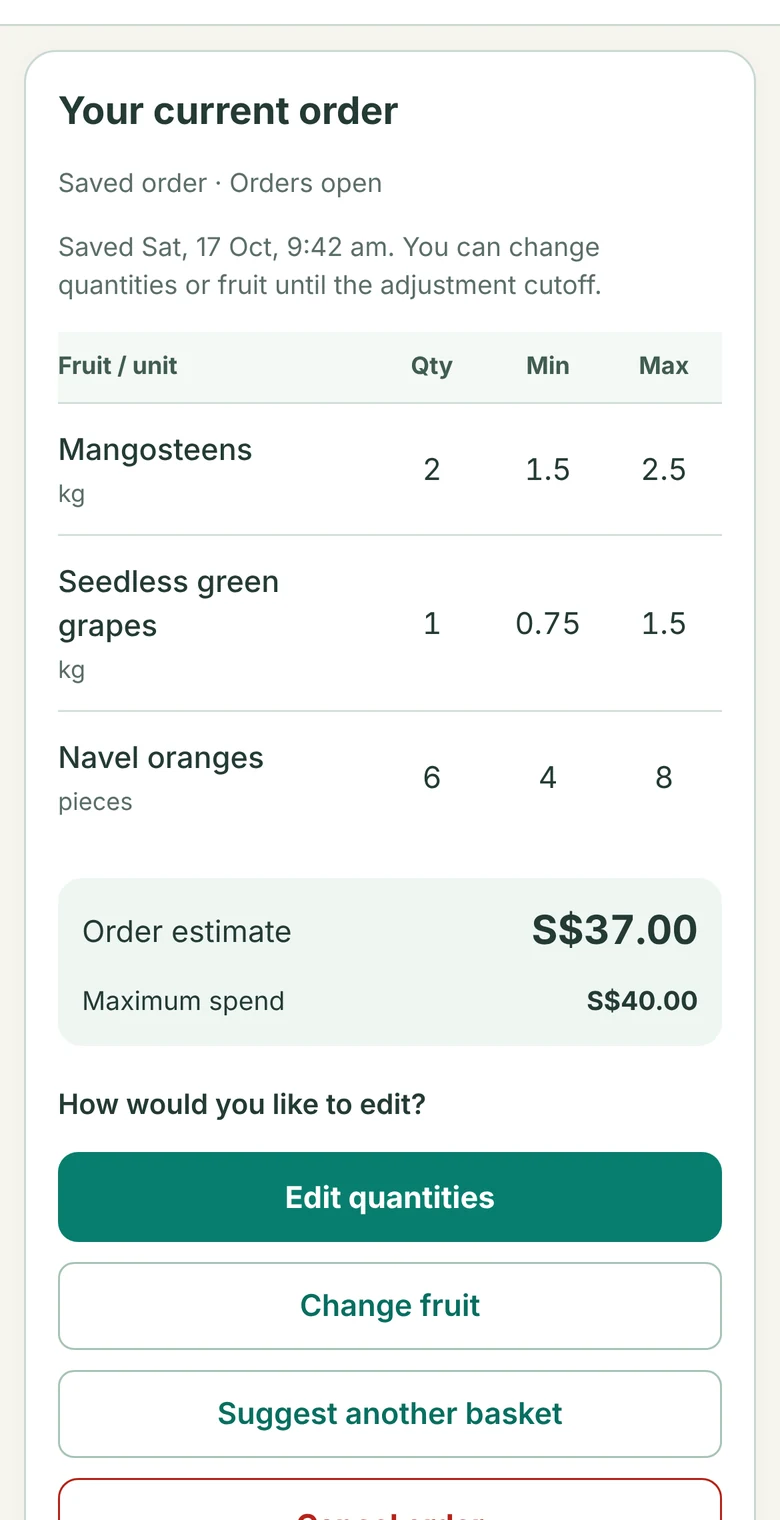
Back to edit -
04
Fill the boxes
At the cutoff, Fruitlah works out the boxes: which are full, which can be filled from the room households left in their ranges, and which aren’t worth ordering this week. It does the working out, the asking and the sheet updates; I approve the plan. Anything outside someone’s agreed range needs their permission first.
An early version held everything up until every box was resolved. I changed it to match how I actually work: settle the boxes that are ready, ask about the gaps that look promising, and set aside the fruit nobody wants enough this week.
- ReadyNavel oranges
12 of 12. Two households topped up inside their range.
- AskMangosteens
4 of 5 kg. Three households still have room in their range. Worth asking.
- Set asideCherries
0.75 of 2 kg. Not enough demand this week. Doesn’t hold up the rest.
The organiser has updated these fruit lines in the sheet: Seedless green grapes: 1 → 1.5 kg (within your confirmed minimum–maximum range) Other fruit lines remain pending.10:14 pm
-
05
Settle up
After delivery, buyers can ask what they owe and reply Paid once they’ve transferred. A receipt screenshot is optional.
The claim stays pending until the payer, the bank notification and the amount all match. Only then is the Paid box in the sheet checked and the buyer told. Unclear names, amount differences or uncertain matches come back to me. A buyer’s message alone never marks an order Paid.
What do I owe?7:02 pm
The sheet currently shows these orders as unpaid: • Fruitlah — 10 Oct 2026 — S$36.50 • Fruitlah — 17 Oct 2026 — S$37.00 Total to pay: S$73.50 After paying, reply Paid. A screenshot, photo or PDF is optional; I’ll confirm once the bank notification is matched and the Sheet update is verified. 💜7:02 pm
Paid7:09 pm
Thanks! I’ve noted your payment. I’ll confirm once it matches the bank notification and the Paid update is verified. 💜7:09 pm
Your payment has been matched and all 2 Paid boxes across the order tabs are checked. Thank you! 💜 Recorded: S$73.507:41 pm
Who does what
Fruitlah does the admin. People make the calls.
Fruitlah does
- Basket suggestions that fit a budget
- Order totals and each household’s range
- Filling boxes from the room people left in their ranges, and asking those with room
- Matching a Paid report to the bank notification and ticking Paid in the sheet
Neighbours decide
- Their own order, right up to the cutoff
- Any change outside the range they agreed to
I decide
- The weekly box plan and the supplier order
- Anything Fruitlah flags: a payment that doesn’t match cleanly, a fruit with too little demand
What real use changed
Two things I changed after watching people use it.
- Long confirmation commands typed into chatReview and Confirm buttons in the formFrom pilot feedback
- A checkbox that quietly reset itself“Saved” and the time, right beside the controlReal use showed people couldn’t tell whether a change had stuck
Status
In weekly use.
Weekly ordering opened on 17 October 2026 and payment reconciliation followed on 18 October. Supplier conversations still go through me.
Work with us
Have a coordination problem hiding in a spreadsheet?
Fruitlah is the shape of a Starter Workflow Pilot: one recurring task, the smallest build that helps, and approval points where money or people are involved.